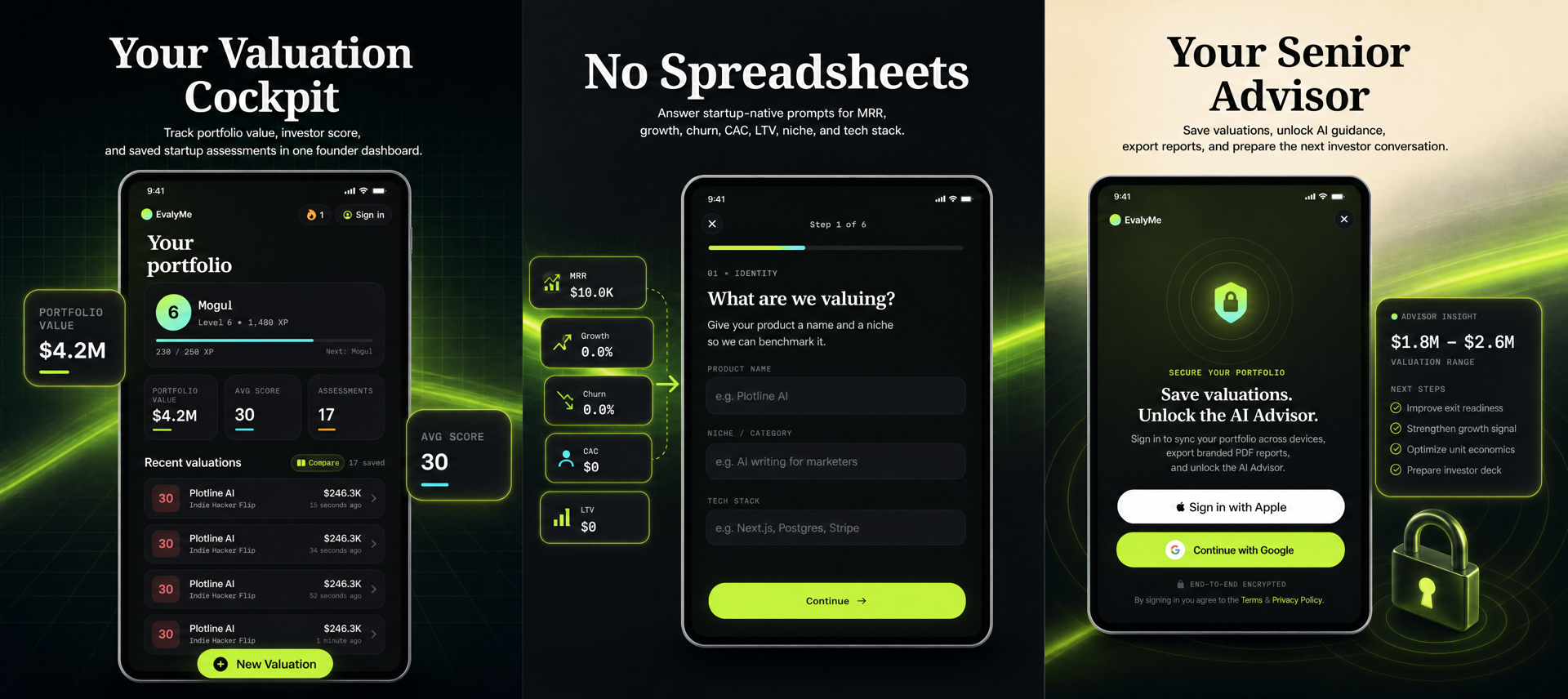
1. Why SaaS and Indie Founders Need a Different Approach to Valuation Software
Most valuation tools are built for brokers, accountants, or large enterprises. Bootstrapped SaaS and indie founders, however, have different needs: rapid scenario planning, privacy, and actionable signals without the overhead of a formal appraisal. If you’re running a small SaaS, you likely want to:
- Compare exit scenarios without revealing sensitive data.
- Understand which operating metrics drive your value estimate.
- Avoid paying for a tool that requires more data than you can reliably supply.
A browser-based calculator, like the EvalyMe SaaS Valuation Calculator, is designed for this use case. It lets you input your own numbers, see a directional range, and inspect what’s helping or hurting your estimate. This is fundamentally different from a formal appraisal or a tool that promises a guaranteed sale price. For founders, the priority is to make better decisions—not to chase an unverifiable benchmark or impress a buyer with a black-box number.
2. Browser Calculators vs. Workspace Tools vs. Mobile Apps
Valuation software comes in three main flavors:
- Browser calculators: No signup, instant feedback, and privacy. Good for quick scenario testing and early planning. EvalyMe’s browser calculator is a prime example—calculations happen in your browser, and you can later save your baseline to a workspace if you want continuity.
- Workspace tools: Require an account, allow you to save multiple assessments, track changes over time, and sometimes offer playbooks or AI-driven guidance. Useful if you’re preparing for an exit or want to track progress as you improve your metrics.
- Mobile apps: Offer convenience and portability, but often lack the transparency or export options of browser/workspace tools. Useful for on-the-go checks, but not always suitable for detailed scenario analysis.
For most indie SaaS founders, starting with a browser calculator is the fastest way to get a feel for your business’s value drivers. If you’re actively planning an exit or want to track improvements, a workspace tool with export and task management (like EvalyMe Pro) adds more structure.
3. What Features Actually Matter for Founders?
When comparing valuation software, focus on features that support founder decision-making, not just pretty dashboards. Key criteria include:
- Input transparency: Can you see and adjust the underlying assumptions? EvalyMe publishes its methodology (see here), so you know exactly how the estimate is produced.
- Data privacy: Does the tool require you to upload sensitive financials, or can you run scenarios privately? Browser calculators that compute locally are safer for early-stage planning.
- Export options: Can you copy, share, or export your results for investor or co-founder discussions?
- Scenario flexibility: Are you able to change key inputs (MRR, churn, LTV/CAC, etc.) and see how the estimate moves, or are you stuck with a rigid template?
- No-signup access: Especially important for founders who want to test ideas without creating accounts or triggering sales outreach.
Checklist for founders:
- Can I run a scenario without creating an account?
- Are input assumptions and formulae visible?
- Can I export or share my results?
- Does the tool separate recurring revenue from cash collected?
- Is my data kept private unless I choose otherwise?
4. Common Pitfalls and False Reads in Valuation Tools
Many founders fall into traps when using valuation software:
- Confusing MRR with cash collected: Some tools treat monthly recurring revenue as cash in hand, but payment timing, annual contracts, or overdue invoices can distort this. Stripe, for example, lets you configure whether discounts are included and how active subscribers are counted (see Stripe analytics docs).
- Assuming the estimate is a buyer offer: Heuristic calculators provide a planning range, not a binding appraisal or offer. Strategic fit, negotiation, and buyer diligence can move the real outcome far outside the model’s range (EvalyMe methodology).
- Over-relying on a single metric: A high MRR does not guarantee a high valuation if churn is high or LTV/CAC is weak. The best tools show a breakdown of what’s helping or hurting your estimate.
- Ignoring export and auditability: If you can’t share or explain your results, they’re less useful in real-world negotiations.
Always use the tool as a scenario-planning aid, not a prediction engine.
5. Illustrative Example: Running a SaaS Valuation Scenario
Suppose you’re a solo founder with the following metrics:
- Monthly recurring revenue (MRR): $5,000
- Active users: 120
- Customer acquisition cost (CAC): $200
- Lifetime value (LTV): $1,500
- Monthly churn: 6%
- Monthly growth: 3%
- Months in market: 18
Using EvalyMe’s browser calculator, you enter these numbers. The tool displays:
- A heuristic valuation range (e.g., $280,000–$460,000, for illustration only)
- A six-factor operating score, with weights for revenue, retention, growth, unit economics, scale, and maturity
- A breakdown of which metrics are helping (e.g., strong LTV/CAC) and which are hurting (e.g., moderate churn)
You can then adjust churn or growth to see how your range and score respond. This helps you decide whether to focus on retention, acquisition, or pricing before talking to buyers or investors.
6. Diagnostic: How to Evaluate If a Tool Fits Your SaaS
Before committing to any valuation software, run this diagnostic:
- Does it support your revenue model? Some tools are SaaS-specific; others mix in e-commerce or service business logic, which can distort your estimate.
- Are the operating factors visible? Tools like EvalyMe show the six weighted factors and let you compare your own cohorts (see methodology).
- Can you inspect and challenge the assumptions? If the tool hides its formula or uses opaque multipliers, it’s harder to trust or explain the result.
- Does it let you model changes? Scenario tools should let you adjust inputs and immediately see the impact.
- Is there a clear separation between recurring revenue and cash collected? Payment timing, annual contract normalization, and discount handling should be explicit. Stripe, for example, allows configuration of MRR definitions and discount treatments (Stripe analytics).
If a tool fails on transparency, input control, or export, it’s likely not founder-friendly.
7. Limits, Misreadings, and What No Calculator Can Tell You
No valuation software, browser-based or otherwise, can:
- Guarantee a sale price or predict buyer behavior.
- Audit your financial health, contracts, or customer stickiness.
- Supply verified industry benchmarks or private deal data unless explicitly stated.
- Replace legal, tax, or investment advice.
Heuristic calculators like EvalyMe are most useful for comparing your own scenarios, identifying weak signals, and deciding where to improve before an exit. The operating score is not a valuation multiple or a defensibility rating—it’s a summary of your current business signals. Always verify your own inputs; extreme numbers (e.g., 0% churn or 200% growth) are capped in the model to avoid distortion, but this does not make them reliable (see methodology for caps and limits).
For more on common mistakes founders make in valuation, see Common Startup Valuation Mistakes Founders Make and How to Avoid Them.
8. Founder Actions: Making the Most of Valuation Software
- Start with a browser calculator: Run your own numbers privately and see what moves the estimate. Use this as a baseline for planning, not as a negotiation anchor.
- Inspect the methodology: Only trust tools that show you how the estimate is produced (EvalyMe’s published methodology).
- Track changes over time: If you’re preparing for exit, use a workspace tool to save baselines, track progress, and export reports for co-founder or investor discussions.
- Focus on actionable metrics: Use the operating score breakdown to prioritize improvements (e.g., reduce churn, improve LTV/CAC) before seeking offers.
- Separate demo from production: An AI-built demo or codebase does not prove customers, recurring revenue, or buyer interest. Only operating metrics and real user engagement matter at exit (see: What Ships After the Demo).
- Use the calculator as a scenario tool: Change one input at a time, see how the range moves, and decide if the work to improve it is commercially sensible.
Ready to see what actually drives your SaaS’s value? Try the EvalyMe browser calculator—no signup required. For the full methodology, visit EvalyMe’s methodology page.